Clarify your offer
Ask what a visitor can understand from a specific services page, and which claims need clearer supporting information.
How to Improve a WordPress Service Page with AIPAGUP Agent Control 1.1.0
Ask Claude or ChatGPT about your public pages. Then prepare drafts or propose changes with the permissions you choose in WordPress.
Free for 7 days on one site. No payment method required. A compatible AI account is required.
Get structured site information and inspect selected published pages after connecting. No temporary task is needed for this public reading. You can also browse public pages without the plugin; Agent Control adds structured access and a path toward authorized WordPress work.
Ask what a visitor can understand from a specific services page, and which claims need clearer supporting information.
How to Improve a WordPress Service Page with AIReview one published page for missing details, inconsistent wording or information that needs confirmation.
Find Thin or Incomplete WordPress Content with AIAsk about the links, image alternatives and headings visible in the inspected HTML. This is neither an exhaustive crawl nor a Core Web Vitals measurement.
How to Run a Read-Only WordPress SEO Audit with AI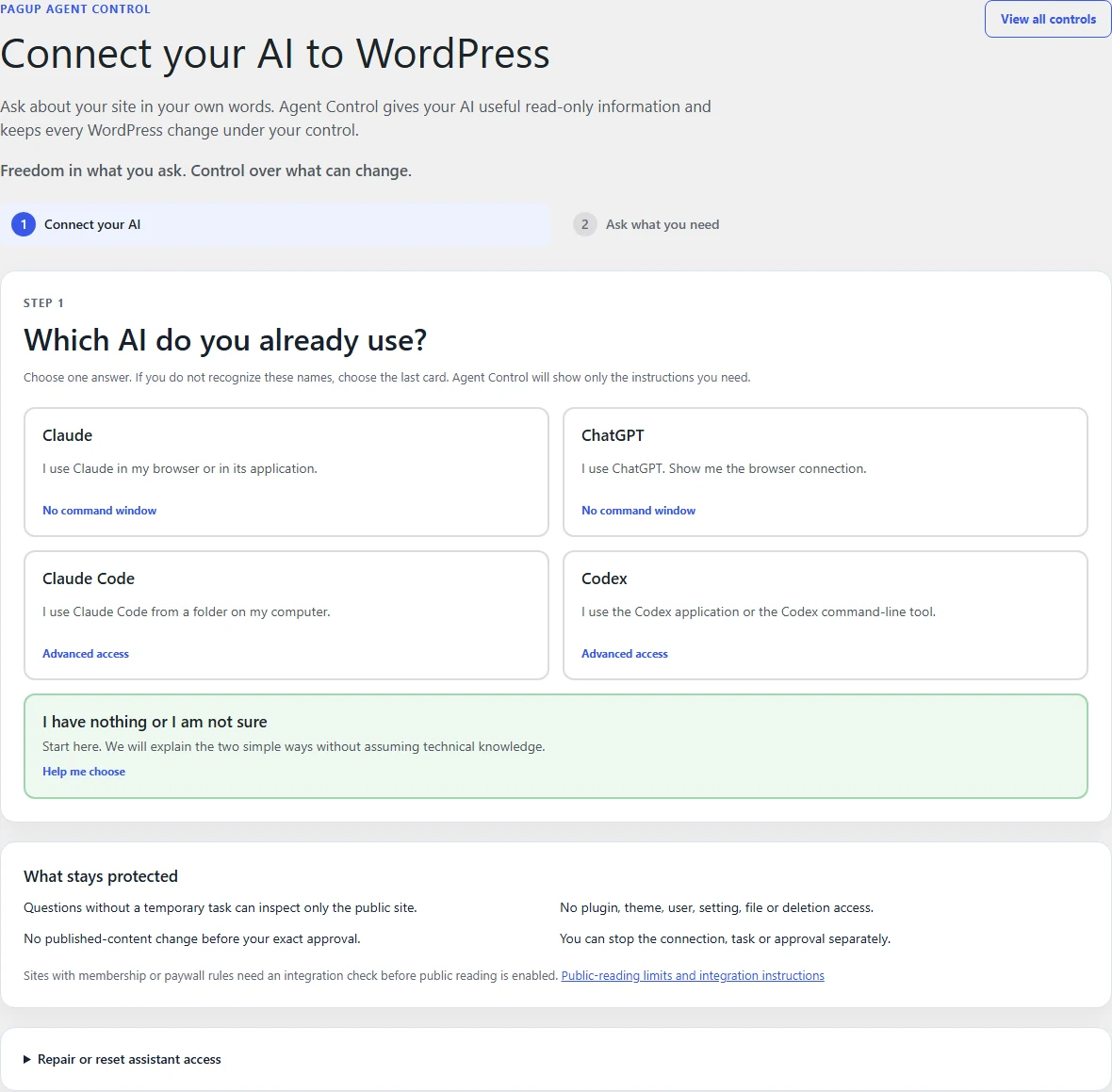
Version 1.0.0 of the WordPress screens, demonstration data.
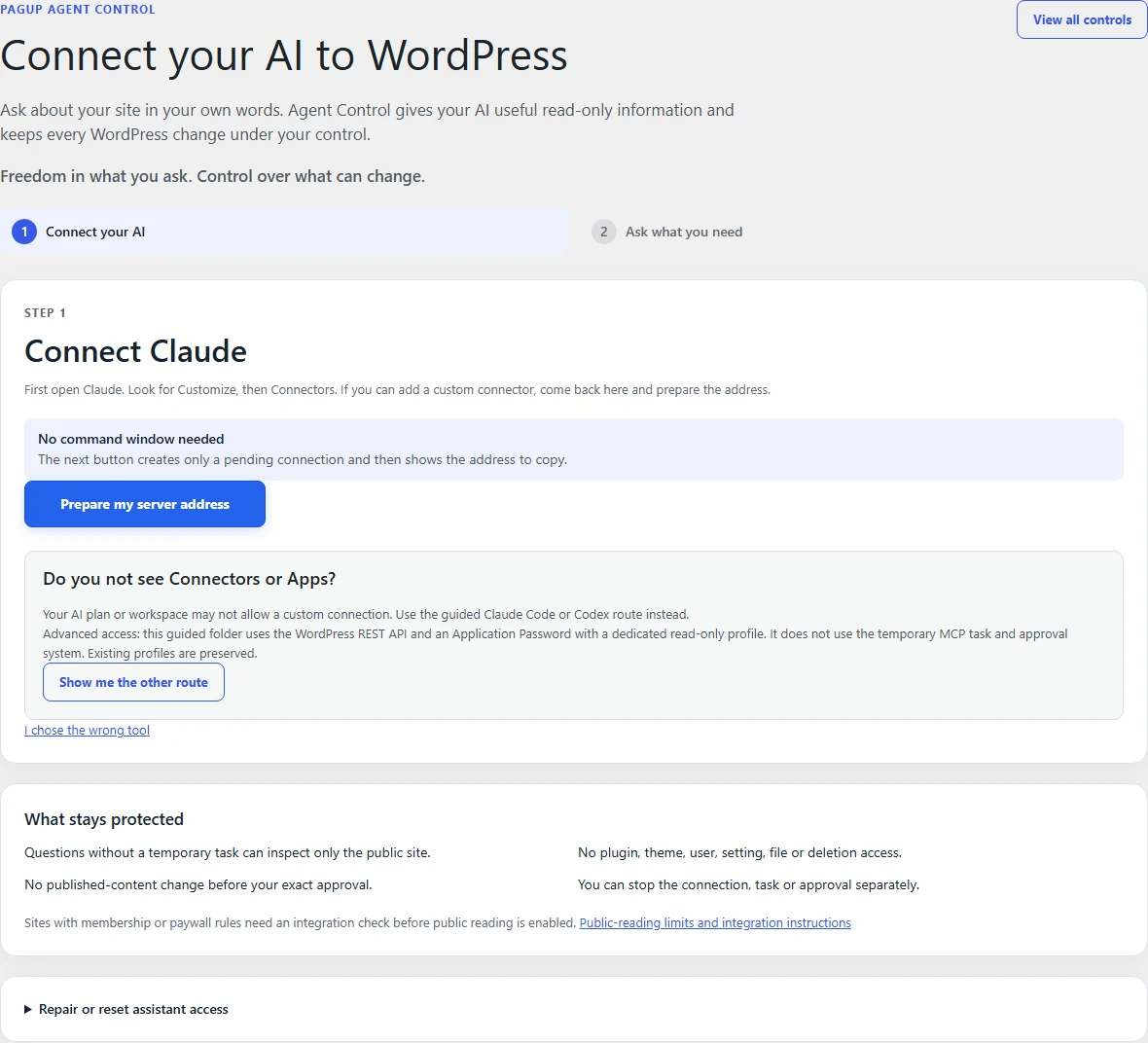
Version 1.0.0 of the WordPress screens, demonstration data.
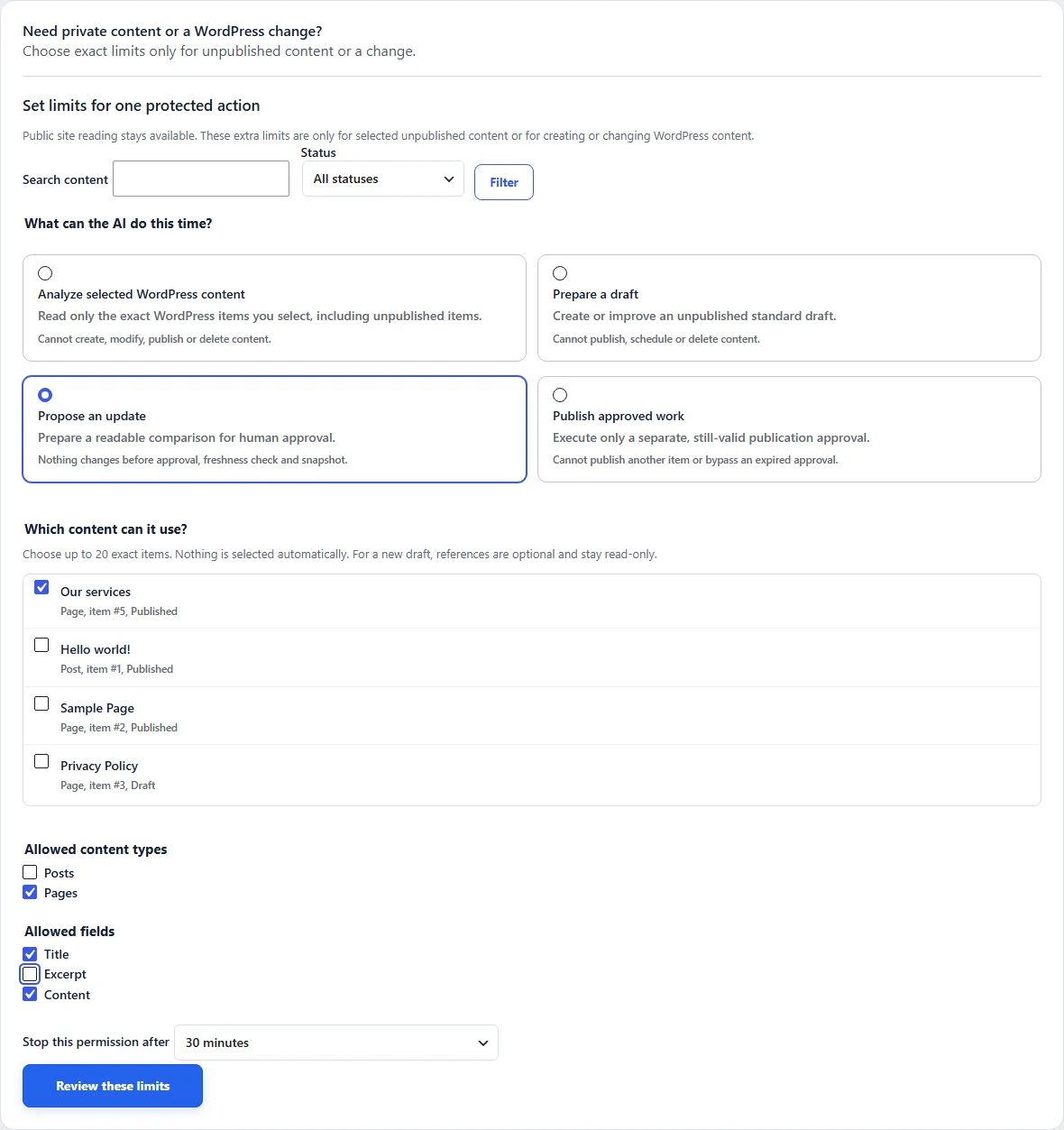
Version 1.0.0 of the WordPress screens, demonstration data.
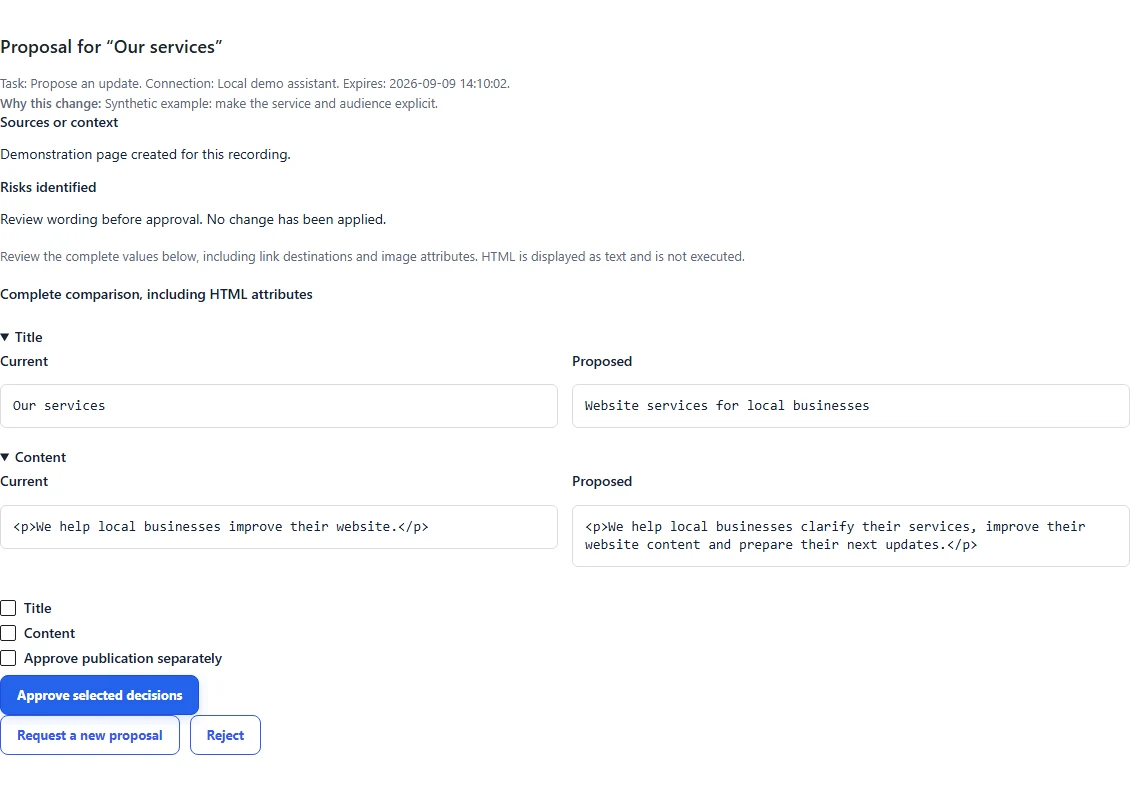
Version 1.0.0 of the WordPress screens, demonstration data.
Example
Illustrative request, not a recorded customer result. Ask the assistant to use your Agent Control connection and identify the page it examined.
Install and activate your premium ZIP in WordPress. Version 1.1.0 requires WordPress 6.9 or later and PHP 8.1 or later. Keep your regular site backup.
Copy the connection address into your assistant, complete authorization in WordPress and check that the connection is active.
Enable the connector in your conversation and ask about a published page. Open a temporary task in WordPress only when you need unpublished content or a change.
Solo, Pro and Agency include the same supported editorial features: analysis, drafts, proposals and separately authorized publication. Existing permissions are not expanded automatically.
Open an analysis task in WordPress, select the exact content, allowed fields and duration, then ask your assistant to use that task. Access ends with the task; unrelated private content stays outside its scope.
Authorize a draft task and select any reference content. The assistant can create and revise drafts created by that task. Existing references remain read-only, even when a reference is itself a draft. Review the result in WordPress.
With Solo, Pro or Agency, authorize a proposal task for selected content and fields. Examine the complete comparison in WordPress and select the proposals you approve. Approval is tied to that object, its fields and current content; a changed source or task can invalidate it.
Approving a content change does not authorize publication. Solo, Pro or Agency must also have a publication task that covers the still-valid approval. Check the published result yourself.
Finish a task to remove its temporary permissions. Public reading can continue while the connection remains active. Revoke an approval to withdraw that decision. Pause or revoke the connection in Manage connections to stop its tools; pausing and revoking are separate actions.
The guided private folder for Claude Code or Codex uses WordPress REST and an Application Password with a dedicated read-only profile. Existing Read Only, Draft, Content Editor and Publisher profiles remain under Advanced. They are not automatically converted to OAuth and do not inherit the remote task and exact-approval model.
Full Power Access is a separately licensed administrative add-on. It is outside the guided task model, outside the protected REST modes, and is not included in Solo, Pro or Agency. It is not required for ordinary questions or drafts.
Full Power AccessUse your own compatible AI account. Custom connections depend on your provider, plan and workspace permissions. Agent Control does not include an AI subscription.